
VS Code Agents 窗口配置教程
网址:https://code.visualstudio.com/(单击跳转下载!)
官方参考:AI language models in VS Code、Use the Agents window
📌 关于 Agents 窗口 Agents 窗口是 VS Code 的独立 Agent 工作台,用来创建会话、选择模型并跟踪任务。本文只讲如何把 LLMoxy 配进去,不展开会话管理。
准备
接入信息:
| 项 | 值 |
|---|---|
| 网关 | https://llmoxy.com |
| Chat Completions | https://llmoxy.com/v1/chat/completions |
| API Key | 控制台复制的令牌 |
| 推荐模型 | gpt-6-astra、grok-4.7 |
Agent 必须能调工具,模型配置里要把 toolCalling 设为 true,否则不会出现在 Agents 窗口的模型列表里。
打开 Agents 窗口
任选一种方式:
- 标题栏点 Open in Agents
- 命令面板(
Ctrl+Shift+P/⌘⇧P)运行 Chat: Open Agents Window - 终端执行
code --agents
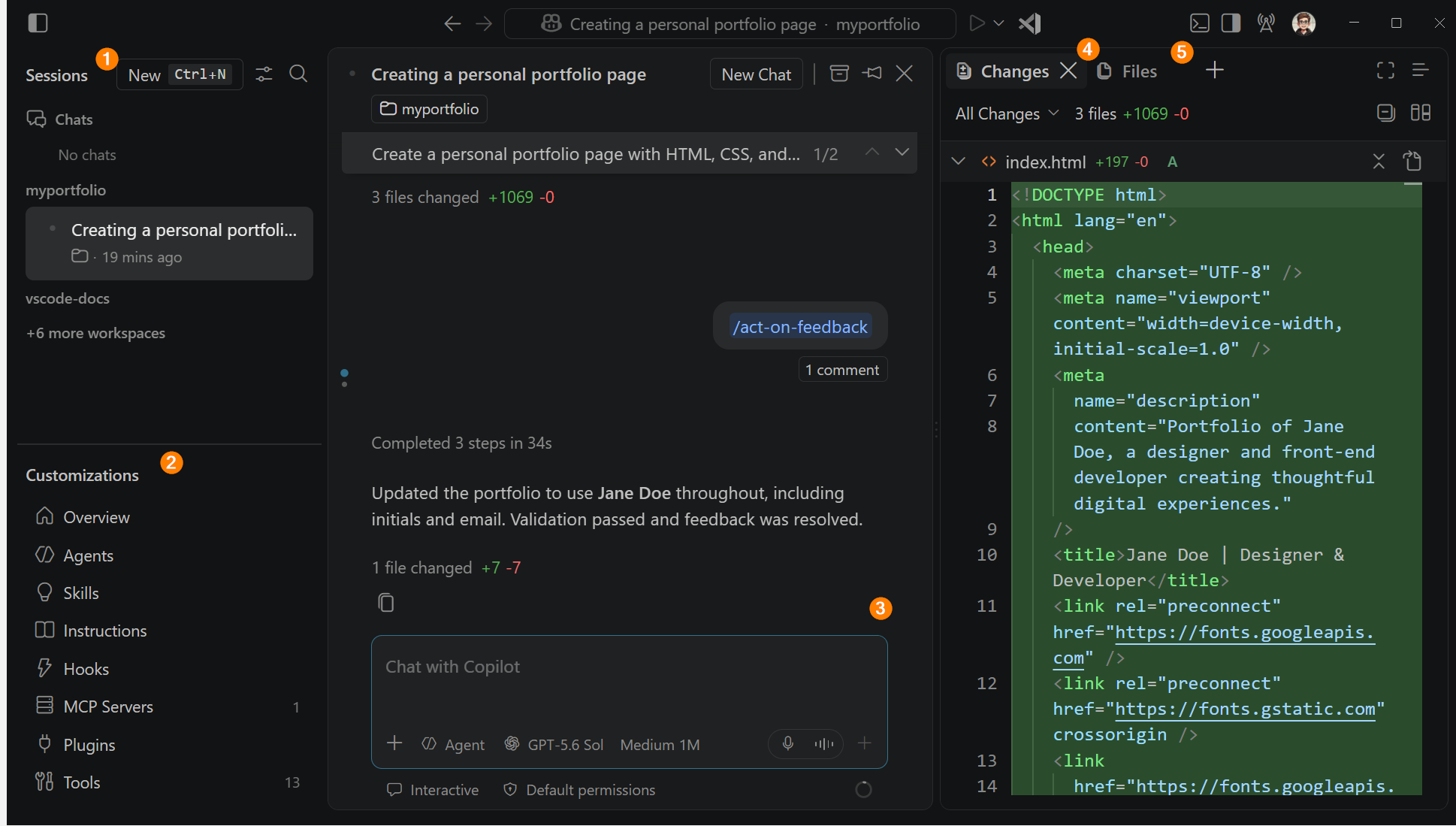
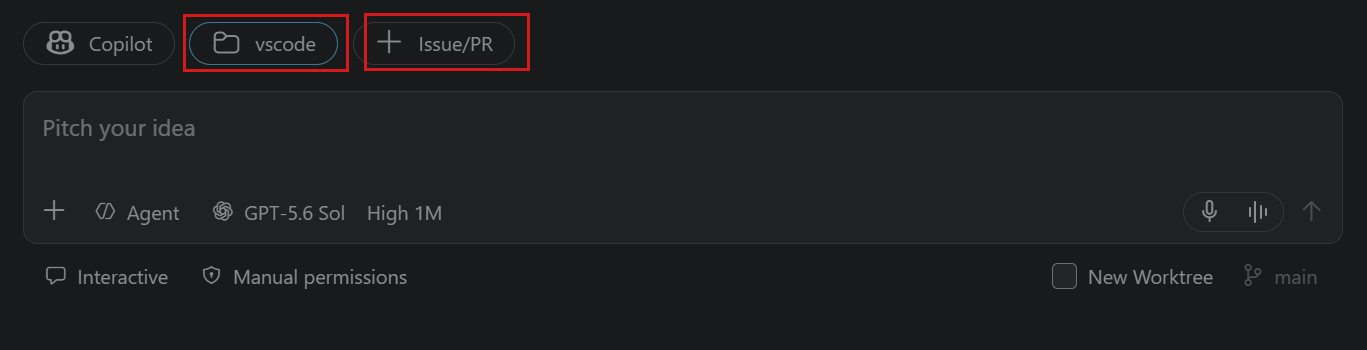
新建会话时,在输入区选择工作区、Agent harness 和语言模型。
允许 Agent Host 使用自有模型
Agents 窗口里的会话走 Agent Host。要用 LLMoxy 这类自带 Key 的模型,先打开实验开关。
- 打开设置(
Ctrl+,/⌘,) - 搜索
agentHost.byok - 勾选 Chat > Agent Host: Byok Models Enabled(
chat.agentHost.byokModels.enabled)
不想登录 GitHub、只用 LLMoxy 时,再勾选 Chat > Agent Host: Allow Signed Out When Usable(chat.agentHost.allowSignedOutWhenUsable)。
也可以直接写入 settings.json:
💡 提示 这两项默认关闭。不打开的话,Chat 视图里能看到 LLMoxy 模型,Agents 窗口里却选不到。
添加 LLMoxy 自定义端点
用 VS Code 的 Custom Endpoint(自定义端点)接入,不要再用已弃用的 OpenAI Compatible 旧项。
1. 打开语言模型管理
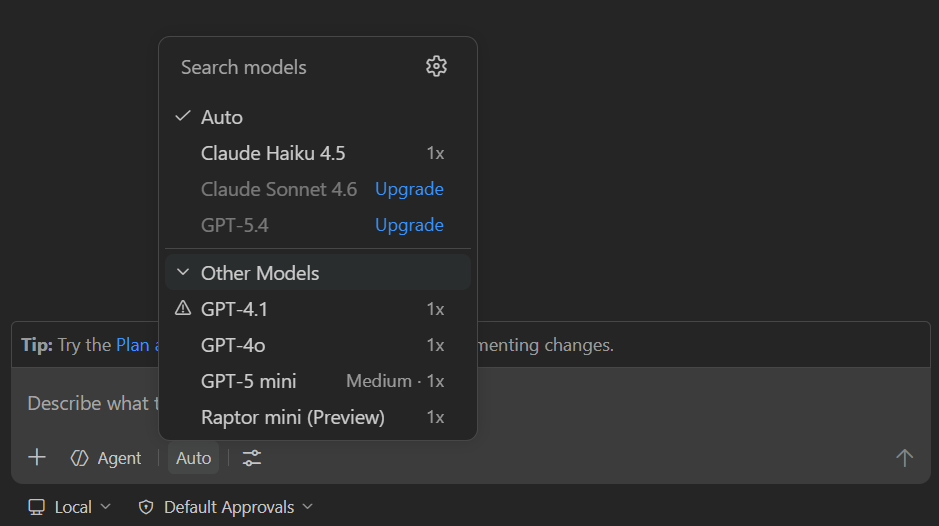
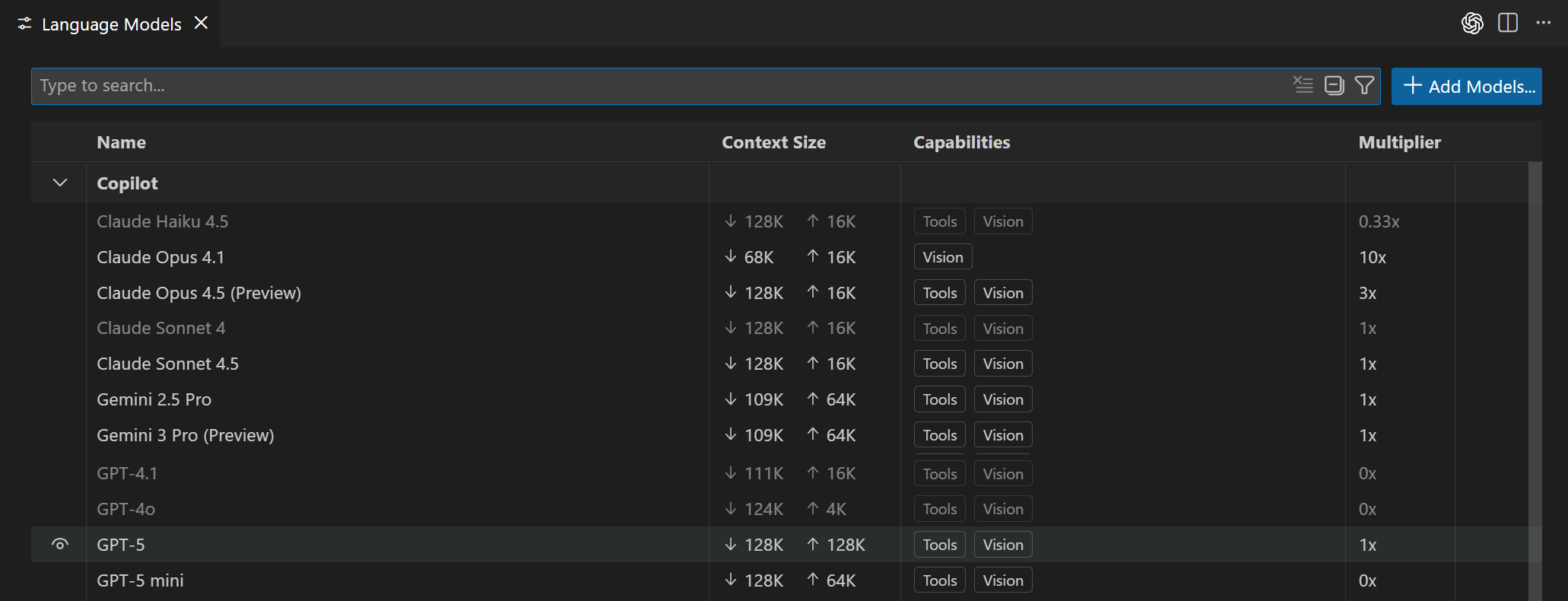
在 Chat 或 Agents 窗口的输入框打开模型选择器,点齿轮 Manage Language Models,或在命令面板运行 Chat: Manage Language Models。
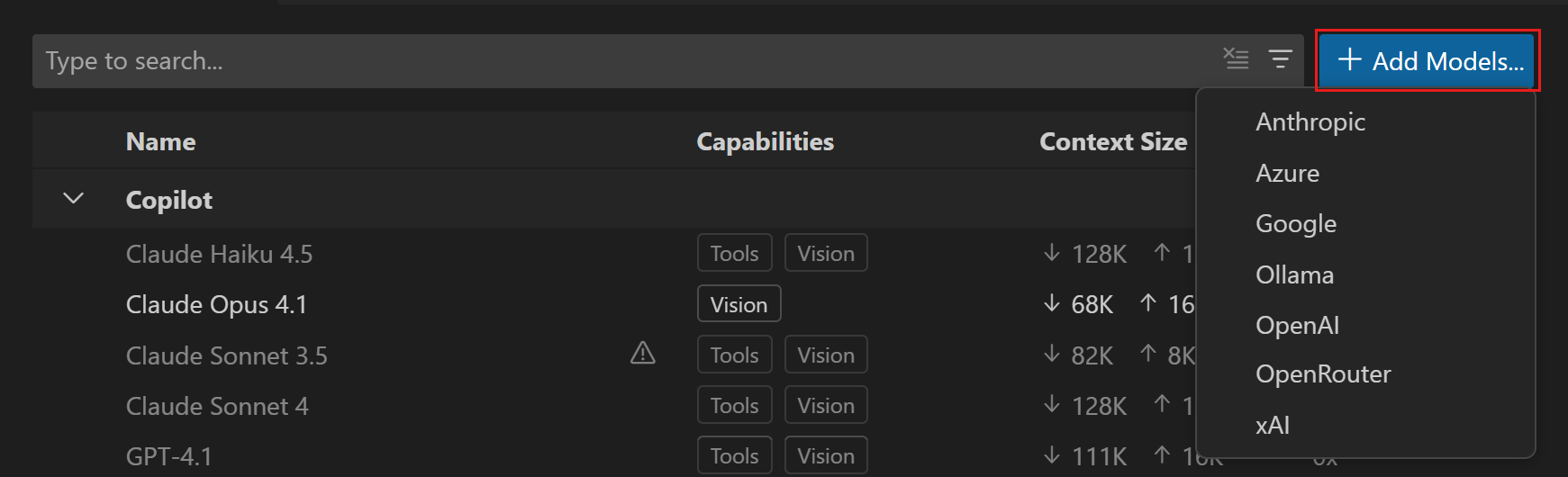
2. 添加自定义端点
- 点 Add Models
- 选择 Custom Endpoint
- 分组名填
LLMoxy(会显示在模型列表里) - 填写显示名称和 API Key(LLMoxy 令牌)
- API 类型选 Chat Completions
3. 编辑 chatLanguageModels.json
VS Code 会打开 chatLanguageModels.json。按下面保存(把 Key 换成自己的令牌):
保存后,在模型选择器里应能看到 GPT-6 Astra、Grok 4.7。没有的话重启一次 VS Code。
在 Agents 窗口切换模型
- 打开 Agents 窗口,新建或选中一个会话
- 在输入框的模型选择器里选 LLMoxy 下的模型
- 推理模型可点名称旁的 >,设置 Thinking Effort(如 Low / Medium / High)
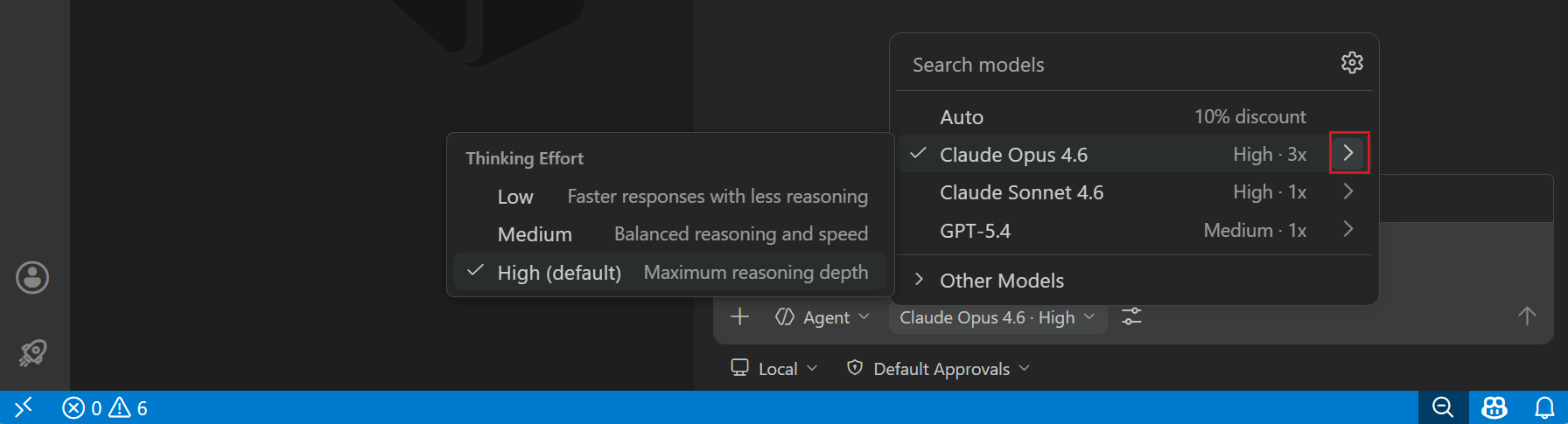
选择器会显示类似 GPT-6 Astra · High。该会话会记住这次的努力程度。
⚠️ 注意 未信任工作区(Restricted Mode)下,选择器只显示 Auto。先信任工作区。 企业 Copilot 可能关掉 Bring Your Own Language Model Key in VS Code,需管理员在 GitHub Copilot 策略里打开。
常见问题
- Agents 窗口没有 LLMoxy 模型:确认已打开
chat.agentHost.byokModels.enabled,且该模型toolCalling为true - 422 / model not found:核对
id是否与控制台一致,例如gpt-6-astra、grok-4.7 - 401 / Invalid token:令牌复制时不要带空格或换行;确认 Key 未禁用、未超额
- 地址写错:API 类型选 Chat Completions,
url填https://llmoxy.com/v1/chat/completions - 生图 Key 调文字模型失败:生图请用「GPT Image 2 生图分组」的独立 Key,不要和文字模型混用