logo

Copaw Configuration Guide

Website: https://copaw.agentscope.io/docs/quickstart (configuration installation tutorial)

Configuration Steps

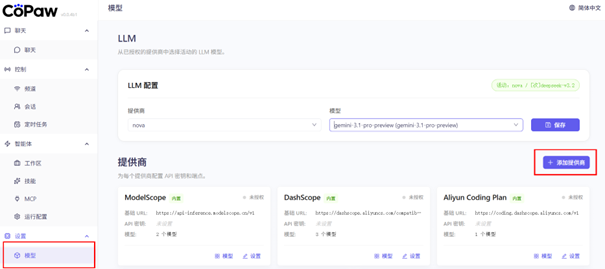
1. Select model and add provider

In Copaw, select a model, then add a provider configuration.

Select model and add provider

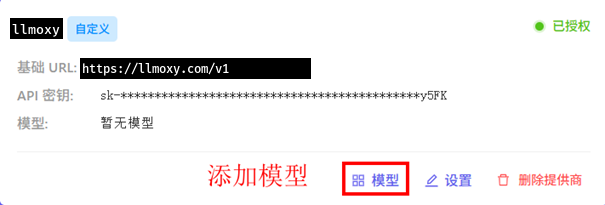
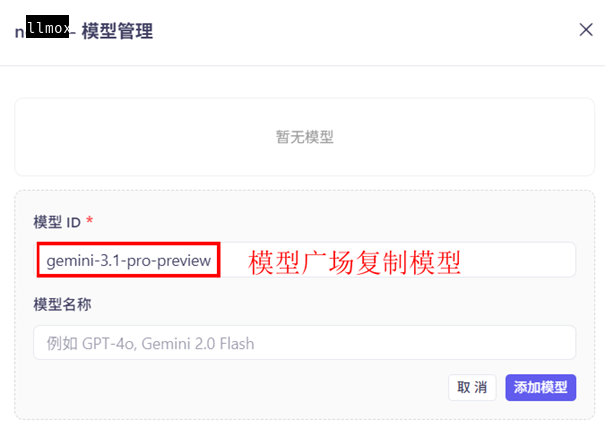
2. Create and add model

Create a new model configuration, filling in the model name copied from the LLMoxy website model marketplace (pay-per-use model).

Create and add model

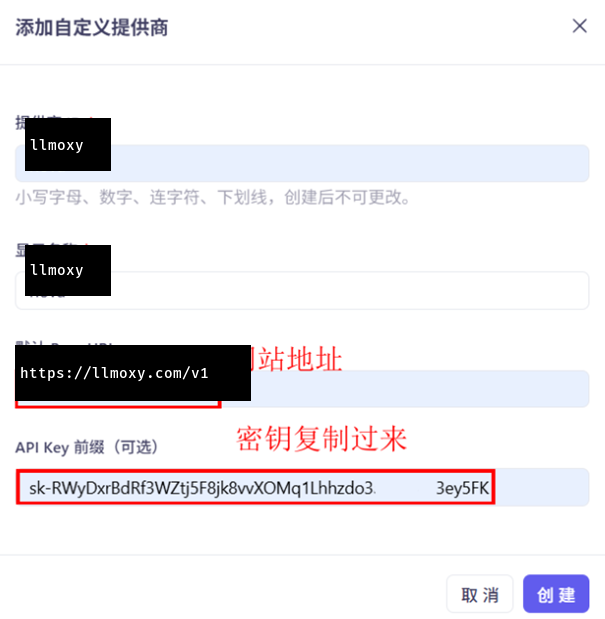
3. Configure API info

  • API Address: https://llmoxy.com/v1
  • API Key: Enter your LLMoxy token
  • Model Name: Pay-per-use model name copied from the model marketplace

Configure API info

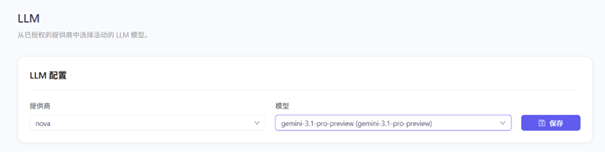
4. Save settings

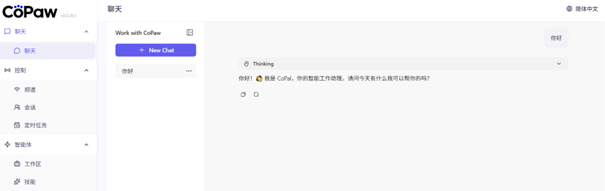
After saving the configuration, you can start using Copaw for chatting.

Save settings

Configuration complete

Configuration complete

💡 Tip Please use a token from the auto group. After configuration, Copaw will automatically use LLMoxy API services. We recommend selecting pay-per-use models for better cost performance.