
📌 About AstrBot AstrBot is an AI bot platform that supports connecting to LLMoxy services via OpenAI Compatible API.
Configuration Steps
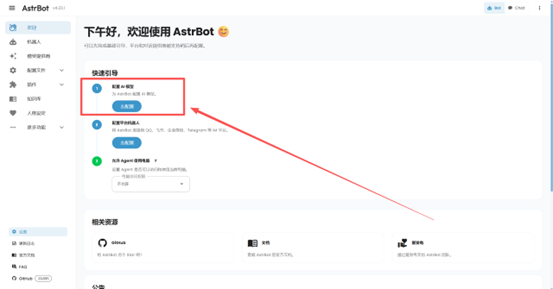
1. Click Configure API after first login
After logging into AstrBot for the first time, click the Configure API button.
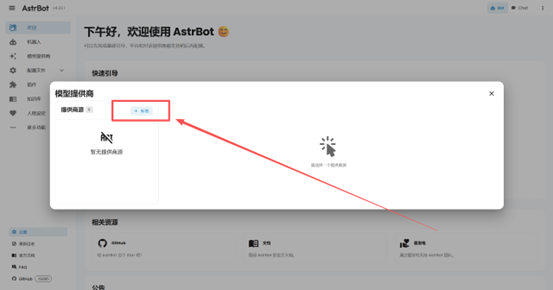
2. Click the Add button
Click the Add button to add a new API configuration.
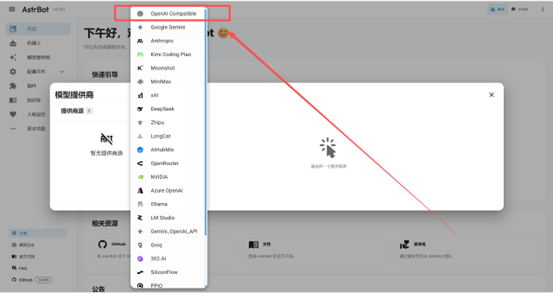
3. Select OpenAI Compatible
In the API type, select OpenAI Compatible.
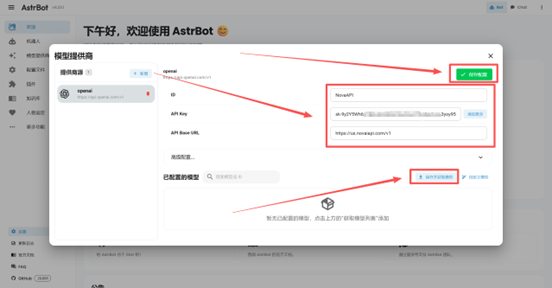
4. Fill in configuration and save
Fill in the ID, API Key, and API Base URL, then click Save Configuration, then click Get Models.
- API Key: Enter your LLMoxy token secret key
- API Base URL:
https://llmoxy.com/v1
5. Get model list
After saving the configuration, you can see all models fetched from the site.
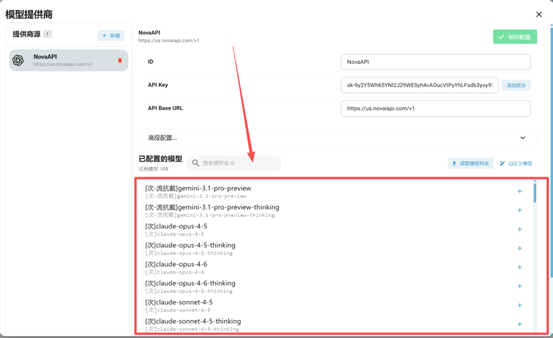
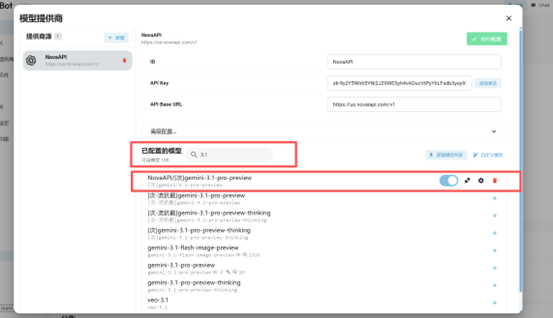
6. Search and select a model
You can search for models via the search bar, for example select the pay-per-use gpt-5.6-sol.
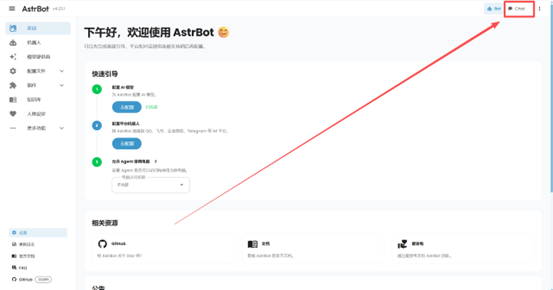
7. Select Chat mode
Select the Chat chat mode.
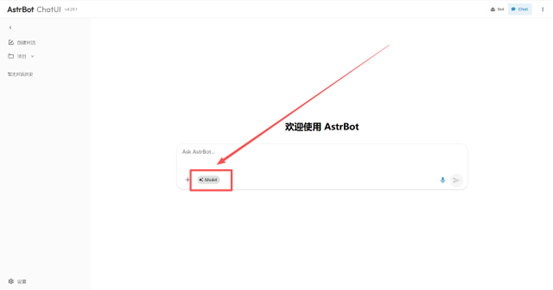
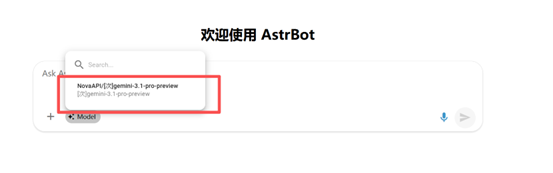
8. Select the configured model
Click the Model button and select the model you just configured.
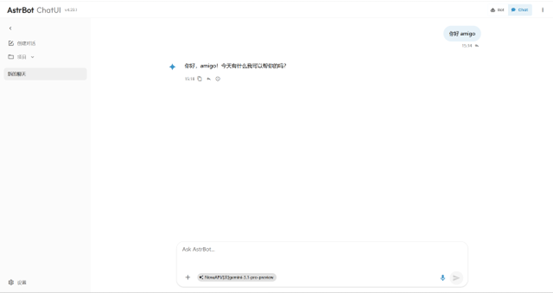
9. Start using
After configuration is complete, you can use the model through conversation.
10. Start chatting
After configuration is complete, you can use the model through conversation.
💡 Tip Please use a token from the auto group. After configuration, you can use all LLMoxy models in AstrBot.