
Website: https://prompt.always200.com/ (click to jump!)
📌 About the Prompt Optimizer The Prompt Optimizer is a powerful tool that helps you optimize and improve AI prompts to enhance conversation quality.
Configuration Steps
1. Click Model Management in the Upper-Right Corner of the Webpage
After opening the Prompt Optimizer website, click the "Model Management" button in the upper-right corner of the page.

2. Configure API Information
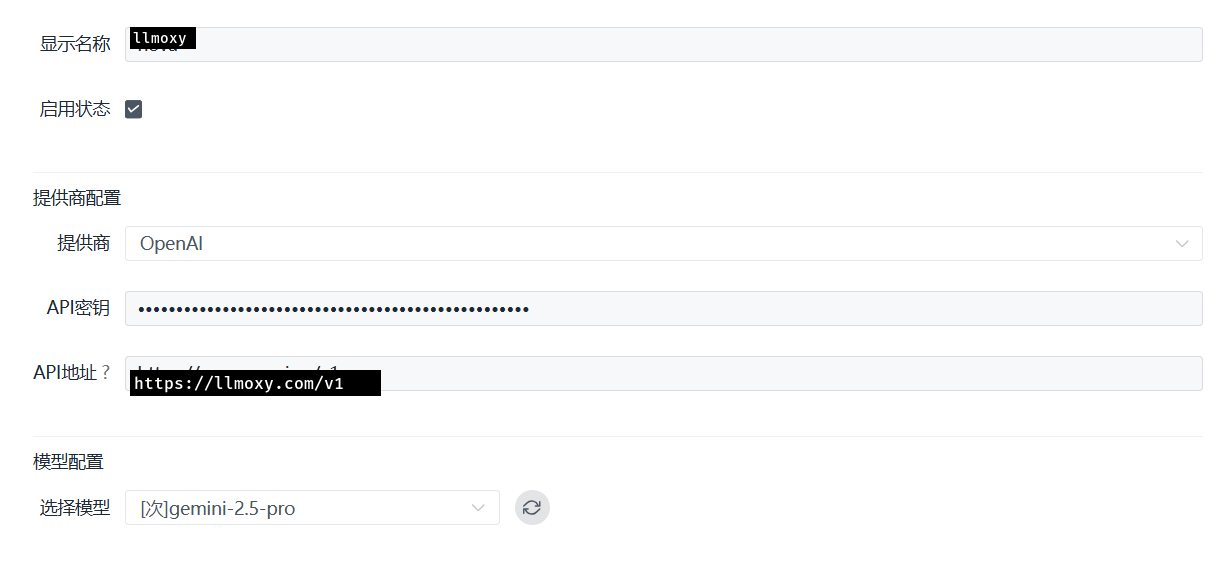
On the Model Management page, configure according to the following information:
- Provider: select
openai - API Key: enter the token you obtained from the LLMoxy website
- API Address:
https://llmoxy.com/v1
3. Select Model
In model selection, choose the gpt-5.6-sol model.
- Model:
gpt-5.6-sol
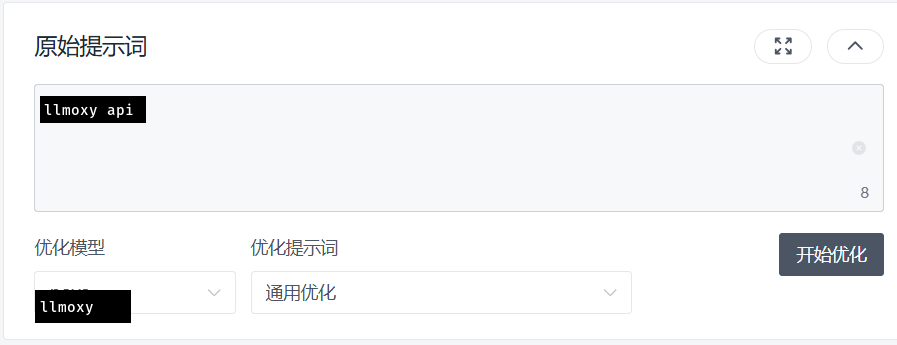
4. Start Using
After configuration is complete, select the model you just configured to start chatting. The Prompt Optimizer will help you optimize and improve your AI prompts.
💡 Tip Please use a token from the auto group. After configuration, you can use the Prompt Optimizer to improve your AI conversation prompts for better dialogue results.