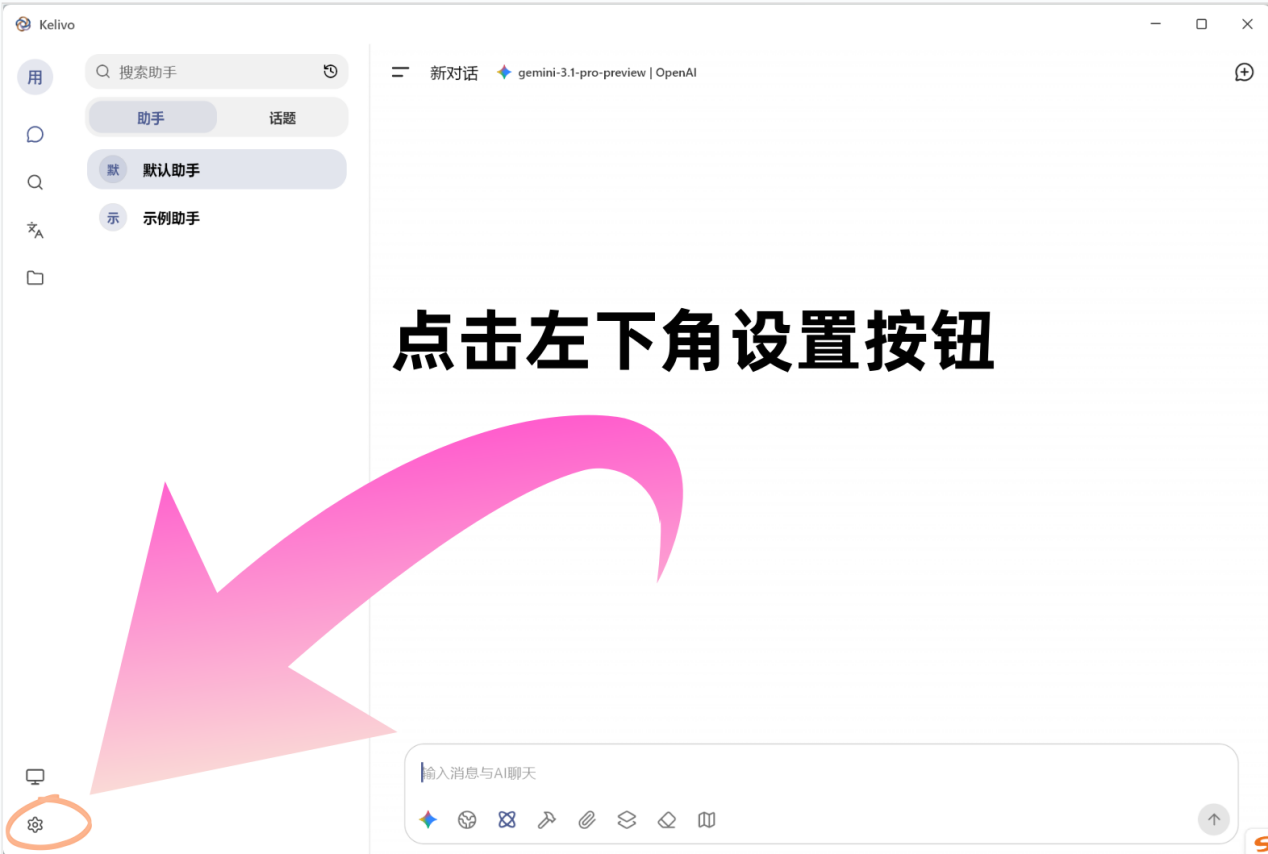
1. 打开设置
打开 Kelivo 后,点击左下角的 设置 按钮。
2. 选择供应商并填写 API 信息
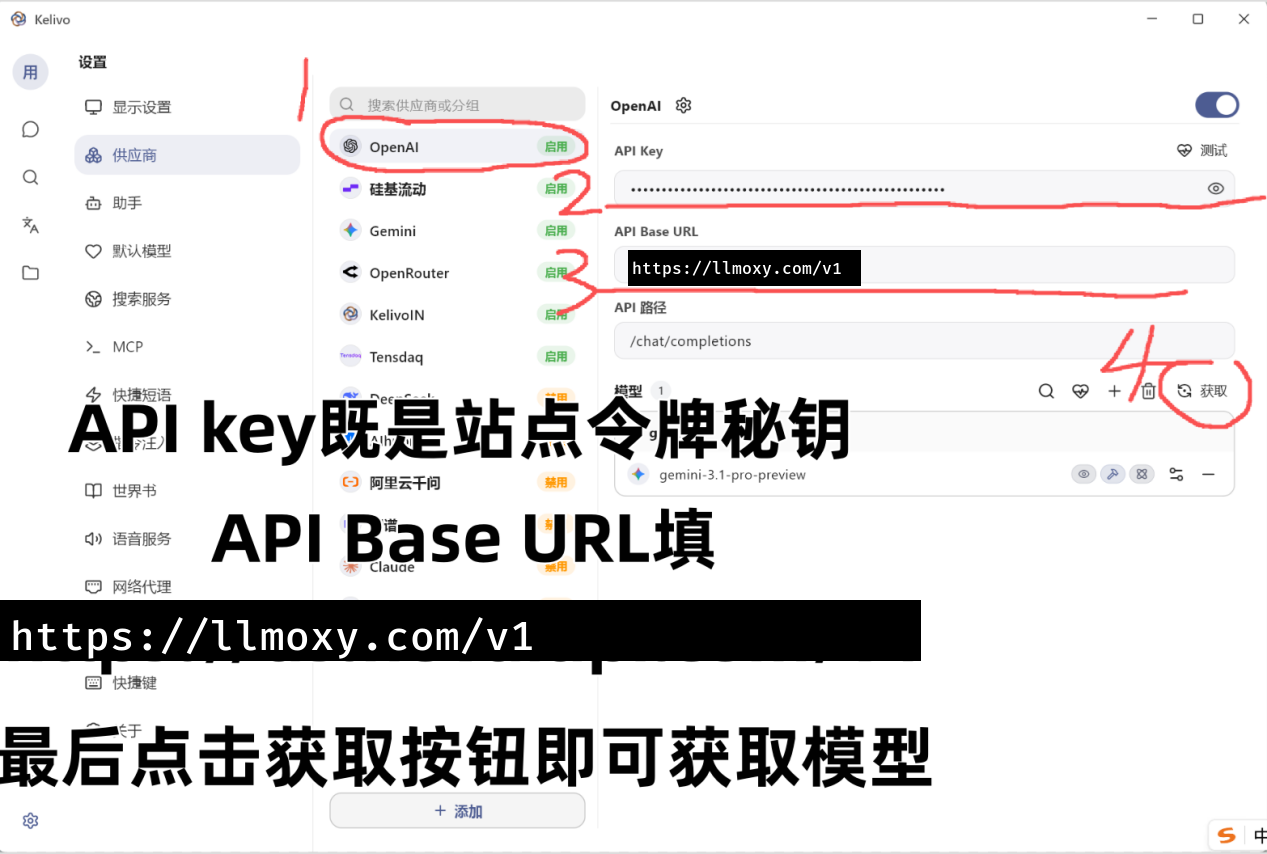
选用 OpenAI 供应商,然后填入相应 API 信息:
-
API Key:
令牌管理中令牌的 sk 秘钥 -
API Base URL:
https://llmoxy.com/v1
3. 完成配置
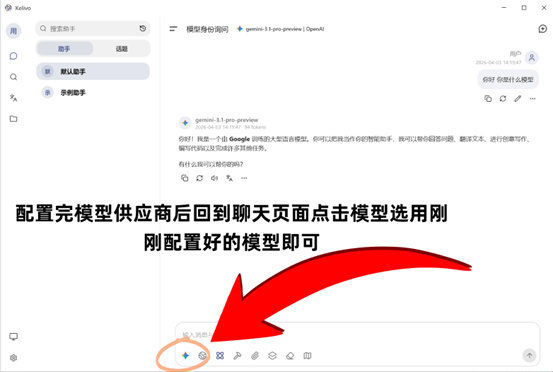
配置后即可正常使用 Kelivo。
💡 提示 API Key 请在站内 令牌管理 页面获取 sk 开头的秘钥。请使用 auto 分组的令牌。

打开 Kelivo 后,点击左下角的 设置 按钮。
选用 OpenAI 供应商,然后填入相应 API 信息:
API Key: 令牌管理中令牌的 sk 秘钥
API Base URL: https://llmoxy.com/v1
配置后即可正常使用 Kelivo。
💡 提示 API Key 请在站内 令牌管理 页面获取 sk 开头的秘钥。请使用 auto 分组的令牌。