
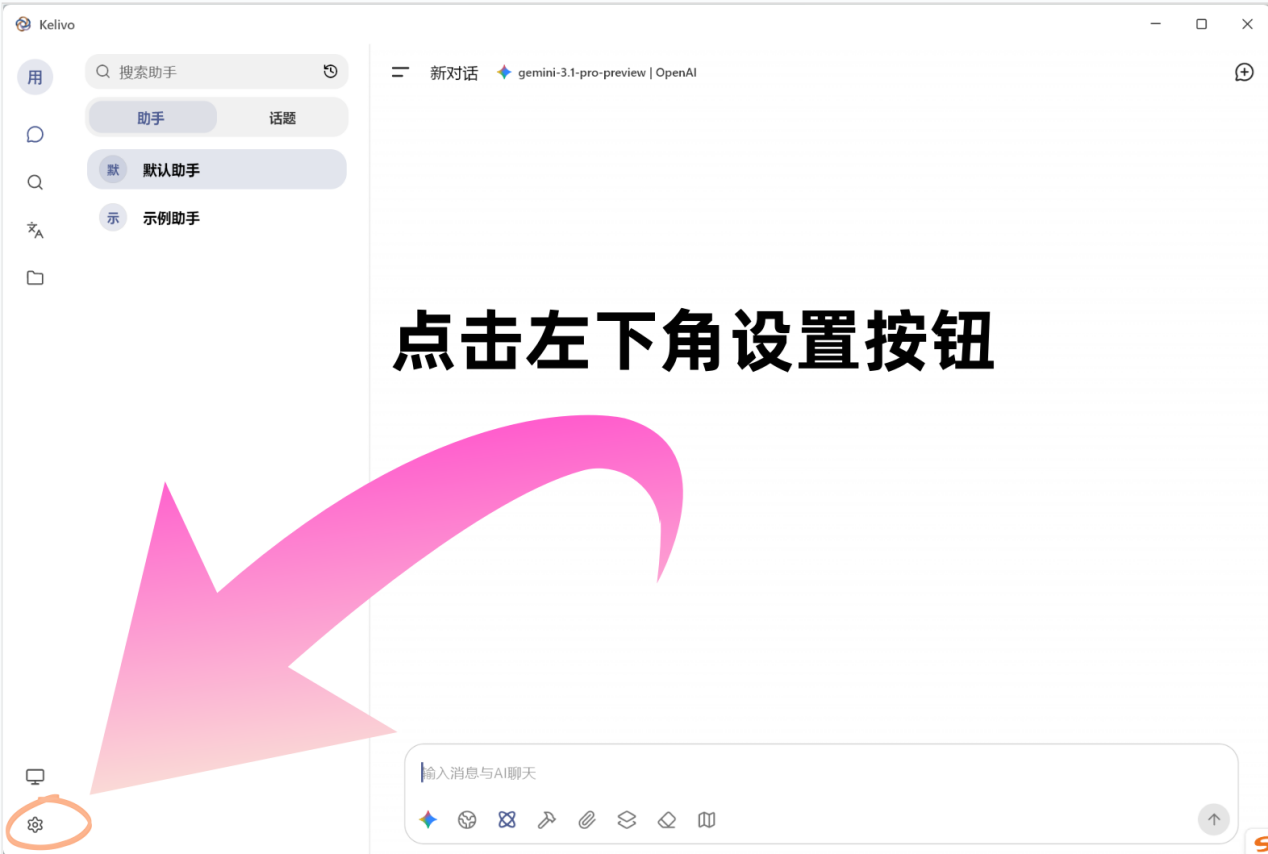
1. Open Settings
After opening Kelivo, click the Settings button in the lower-left corner.
2. Select Provider and Fill in API Information
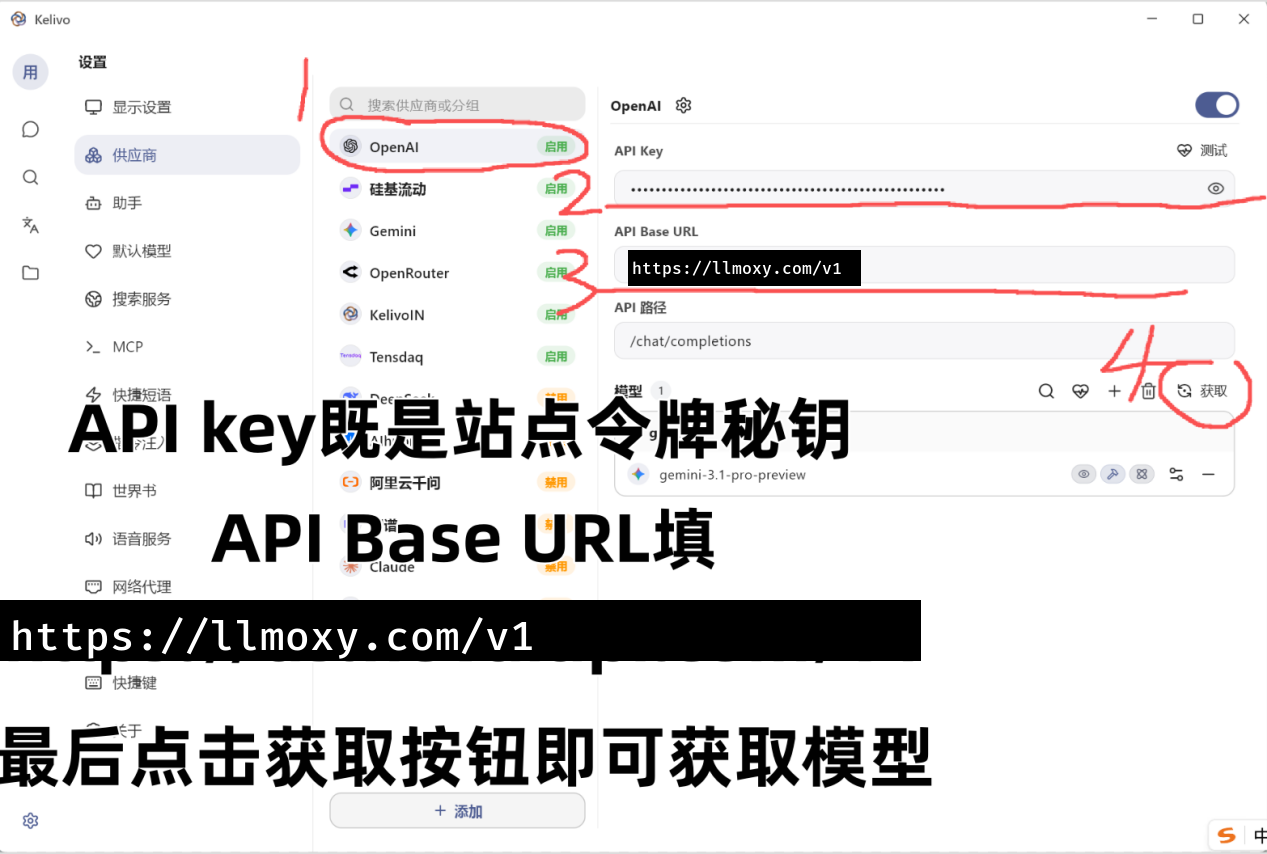
Select the OpenAI provider, then fill in the corresponding API information:
-
API Key:
the sk secret key of the token in Token Management -
API Base URL:
https://llmoxy.com/v1
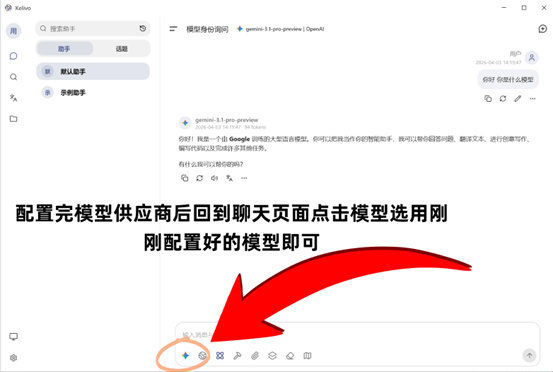
3. Complete Configuration
After configuration, you can use Kelivo normally.
💡 Tip Please obtain the API Key on the Token Management page; it is the secret key starting with sk. Use a token from the auto group.