Download https://www.cherry-ai.com/download (click to jump to download!)
Configuration Steps
- Visit the Cherry Studio official website to download and install the client
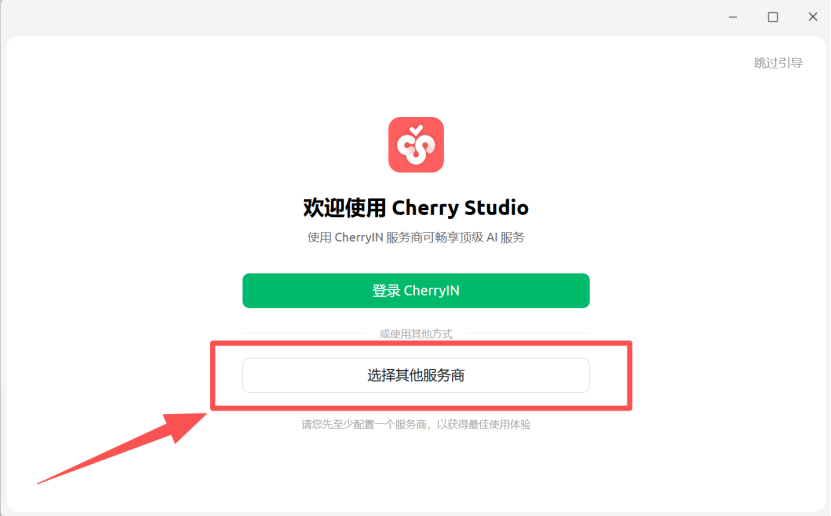
- After opening Cherry Studio, select Other Providers
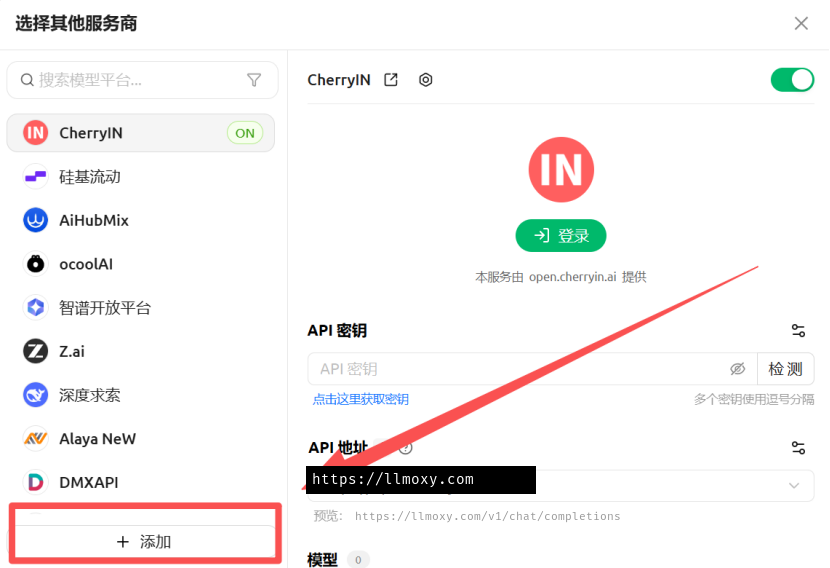
- Click the Add button below to create a new provider configuration
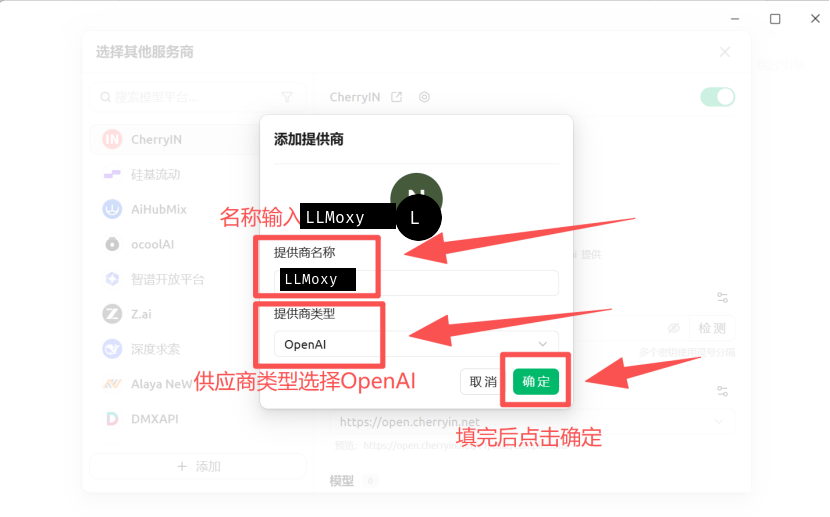
- Fill in the Provider Name (e.g., LLMoxy) and Type, then click OK
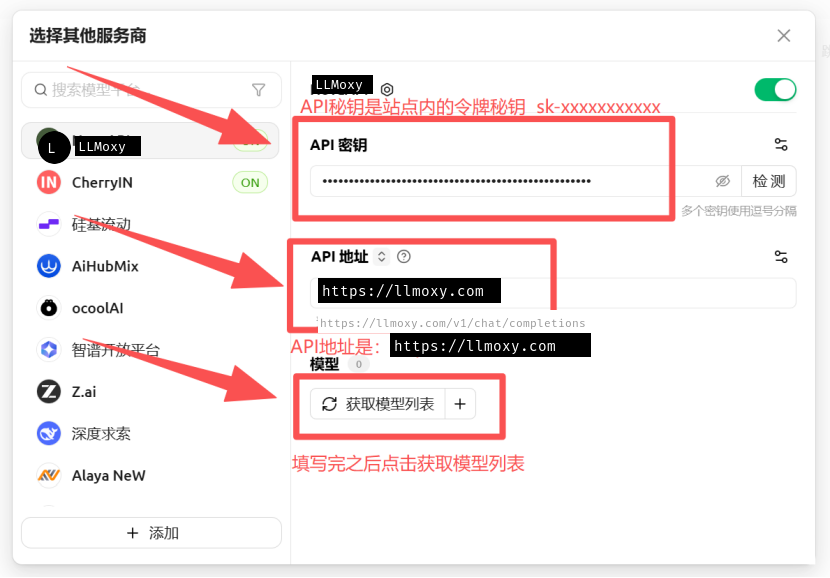
- API Address:
https://llmoxy.com - API Key: enter your token
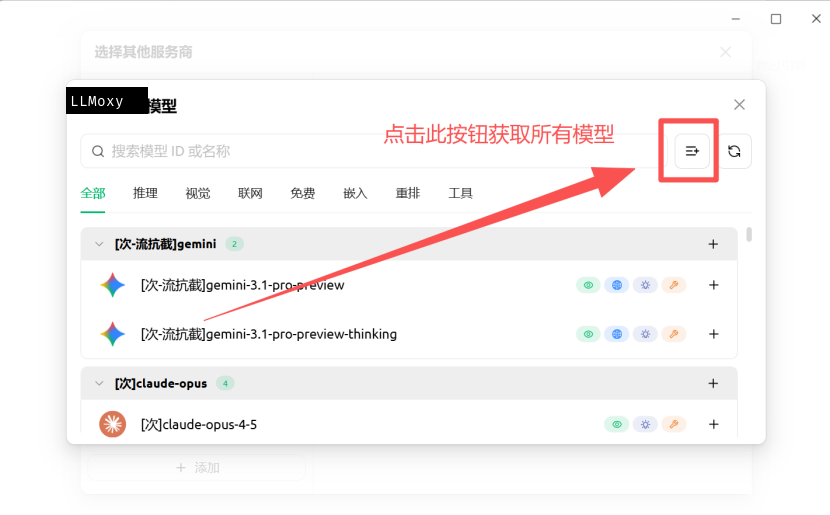
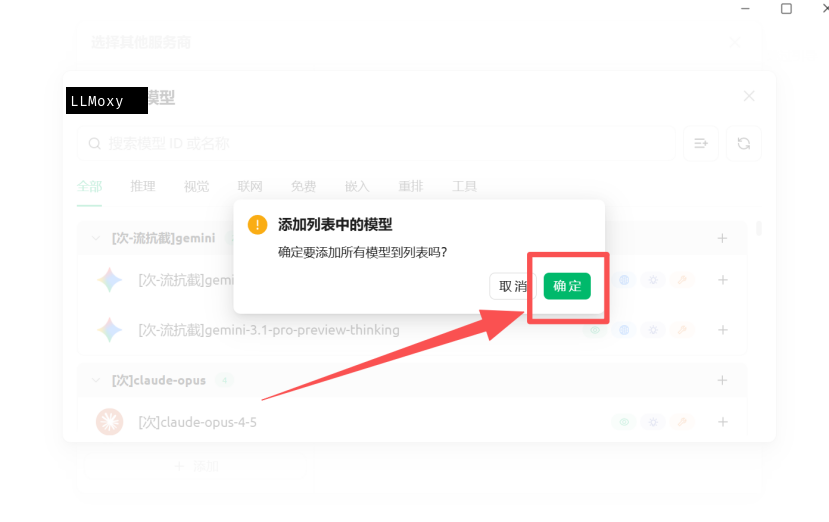
- Click Get Model List to retrieve all available models
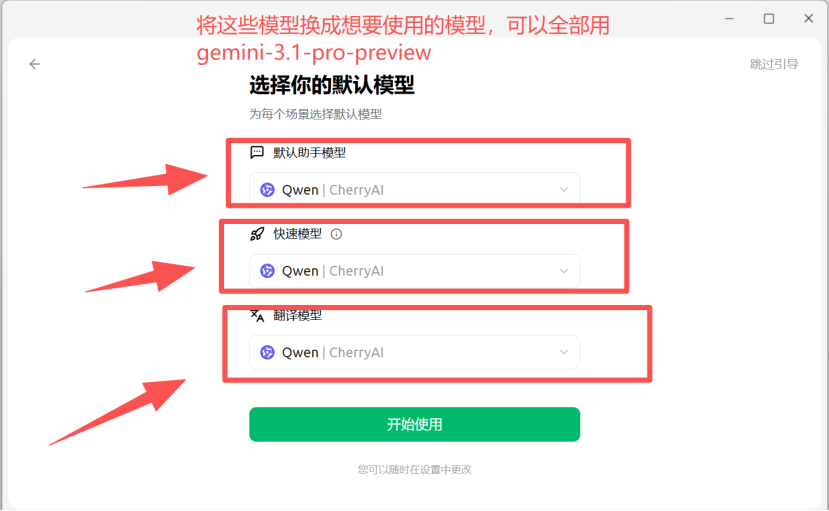
- Click OK, then select the Default Model, Quick Model, and Translation Model
- Note: Cherry Studio does not need
/v1appended at the end.