
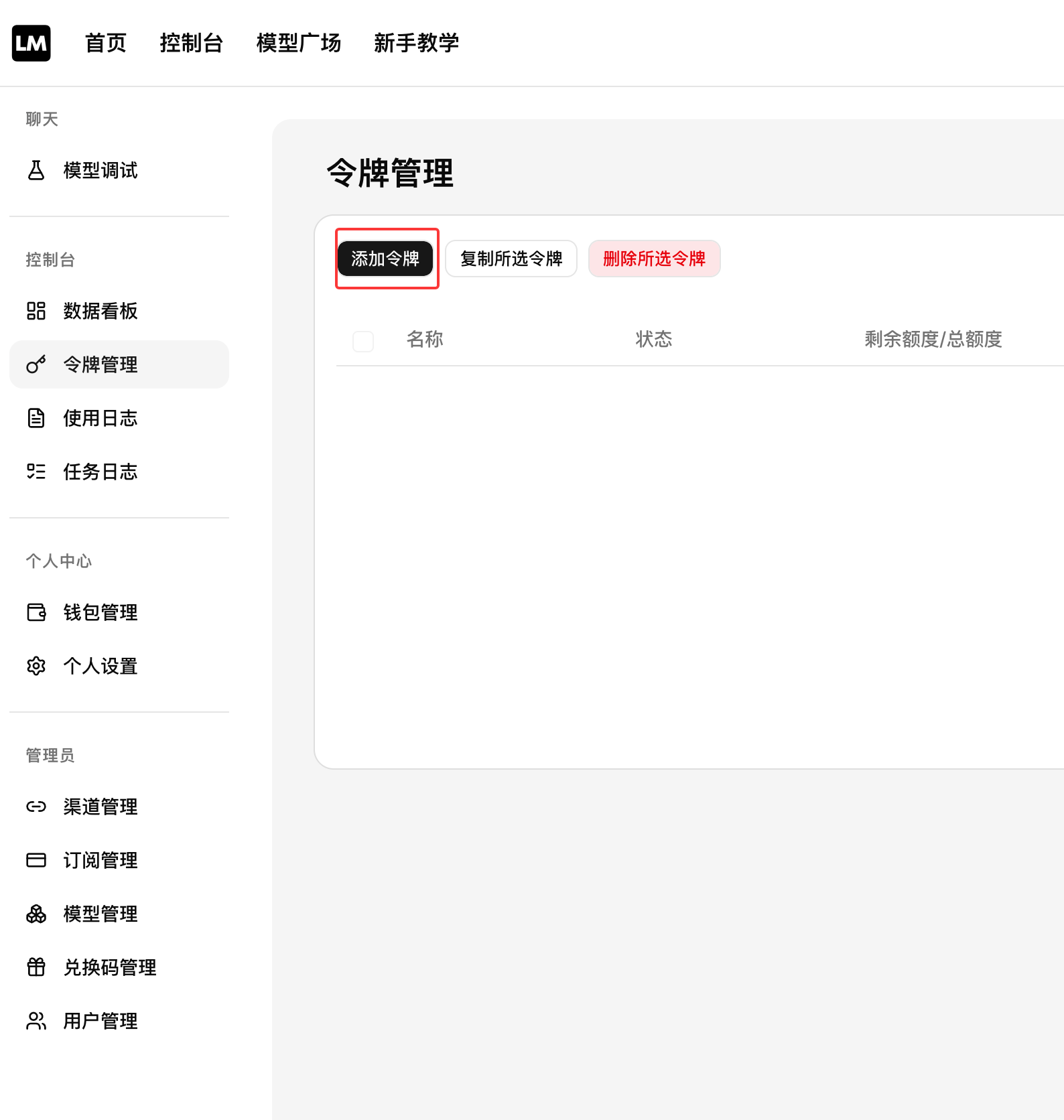
Click Token Management
Show the available actions, then select Add Token.
Create a Token
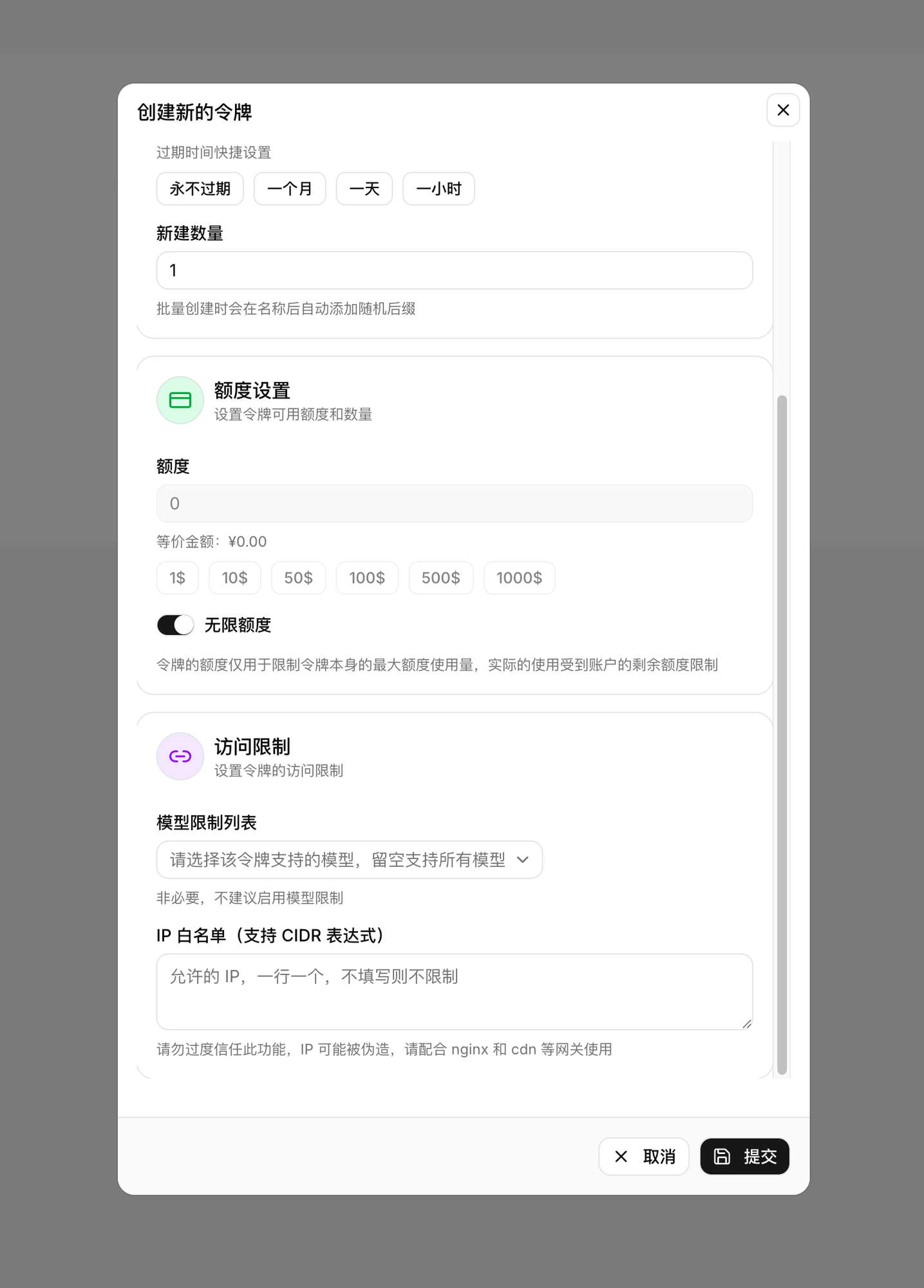
After clicking Add Token, fill in the following information:
- Expiration time: select Never expires
- Quantity: the default value 1 is enough
- Quota setting: select Unlimited quota
- Model restriction list: leave unselected by default
- IP allowlist: leave empty by default to avoid restrictions
Copy the Secret Key
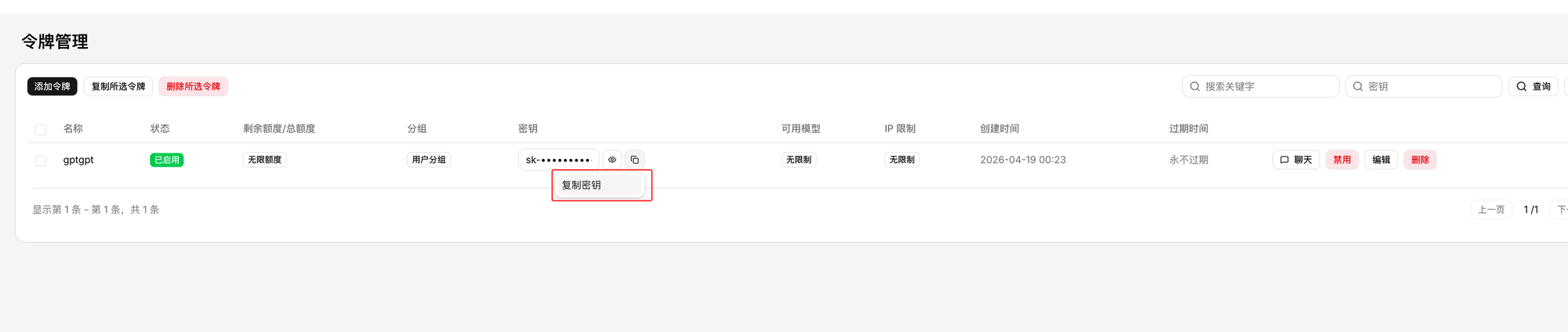
For the generated key, select Click to copy next to the eye icon.
Key Creation Strategy
We recommend creating at least two types of keys:
personal-dev: for local developmentci-or-bot: for automation or team-shared bots
Environment Variable Reference
Tool integrations usually need two pieces of information: the gateway address and the API Key. The environment variable names differ depending on the tool you use:
Claude Code (Anthropic-compatible interface, URL without /v1):
export ANTHROPIC_BASE_URL="https://llmoxy.com"
export ANTHROPIC_AUTH_TOKEN="你的API Key"
Gemini CLI (write to the ~/.gemini/.env configuration file):
GOOGLE_GEMINI_BASE_URL=https://llmoxy.com
GEMINI_API_KEY=你的API Key
Other compatible tools (OpenClaw, etc., URL with /v1):
export OPENAI_BASE_URL="https://llmoxy.com/v1"
export OPENAI_API_KEY="你的API Key"
Permission Recommendations
- Development Key: limit the daily quota to avoid runaway costs caused by misuse
- Team Key: group by project to simplify later reconciliation and quota management
- CI Key: configure separate environment variables and do not reuse a personal Key
Common Mistakes
- Copying a Key with extra spaces or line breaks
- Using a Claude Code URL without
/v1, while other compatible tools require it - Using a Key that has been disabled or exceeded its quota